STH Algo AI Learn. Trade. Grow.

Three lines decide your challenge.

A profit target above you, a trailing drawdown and a max risk line below. Trade gold at live MT5 prices and see exactly where your account stands at every tick.

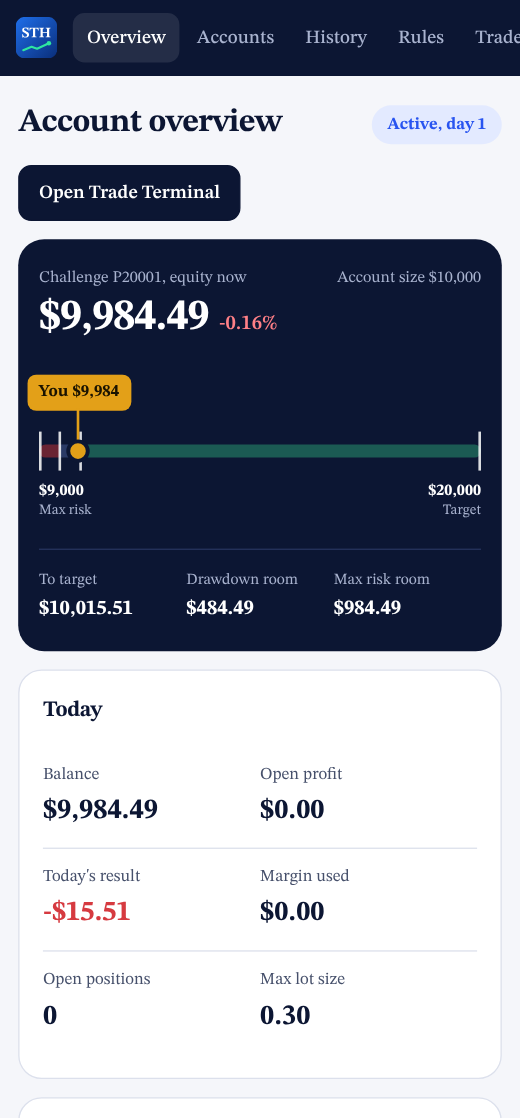
Example account, equity now
To target
Drawdown room
Max risk room

Pick the account size you want to prove

The same rules for every size. The limits and the lot size scale with the account.

From sign-up to a passed account

Step 1

Create your login

User name, email and password. Then open a challenge account in the size you picked.

Step 2

Trade live prices

Gold at live MT5 prices. Market and pending orders, stop loss, take profit, breakeven and trailing, from the browser or the Android app.

Step 3

Reach the target

Reach the profit target while staying above the drawdown and max risk lines and the account is marked passed. Trading continues.

One terminal, one dashboard, nothing to install on a PC

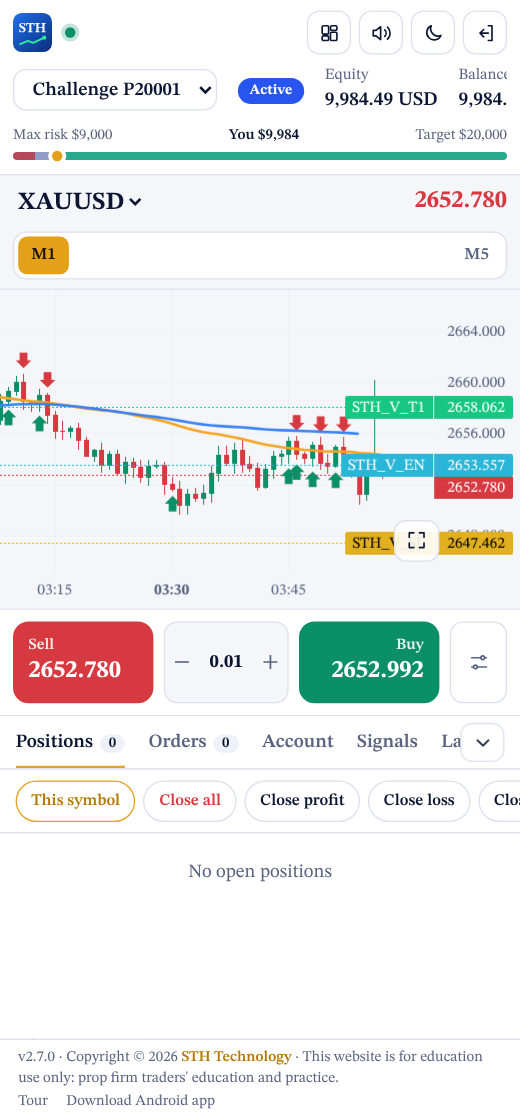
The chart, the order buttons and your account rules live on the same screen.

  • Live MT5 candlesSeven timeframes per symbol, pushed tick by tick.
  • One-tap ordersBuy, sell, close all, breakeven and trail from buttons you can drag anywhere on the chart.
  • Rules you can seeTarget, daily loss and max loss with the exact amount left, updated with every price move.
Start challenge
Trading terminal on a phone
Trading terminal
Account dashboard on a phone
Account dashboard

Questions traders ask first

The full rules are inside your dashboard.

Are the prices real?

Yes. Every order is filled at the live bid or ask of an MT5 terminal, the same quotes you see on the chart.

How does the drawdown work?

What can I trade?

How many accounts can I have?

Which timeframes can I use?

M1, M5, M15, M30, H1, H4 and D1 for every listed symbol.

Can I trade from my phone?

Yes, in any mobile browser or with the STH AI Prop Firm Android app.